Turn Paper Invoices into
Digital Catalogs in Seconds
Take a photo or upload a file — our AI extracts every product, category, and price instantly. Set your markup, control what customers see, and automate everything.
Start Your Free 14-Day TrialNo credit card required
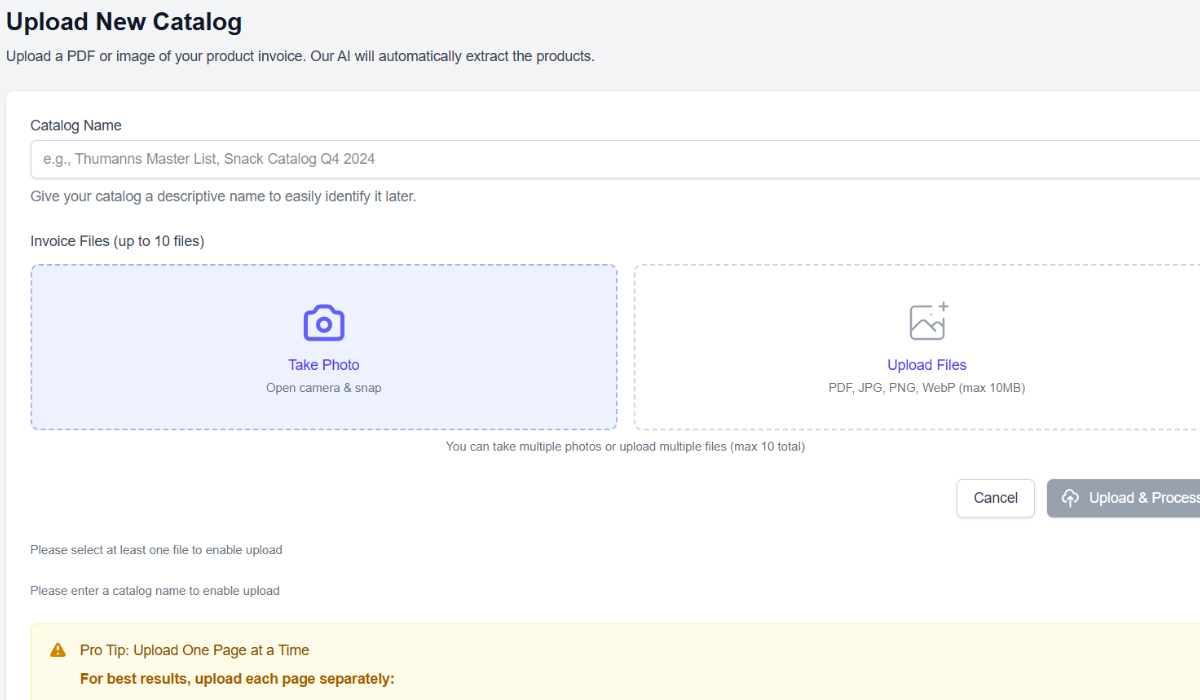
Take a Photo, Get a Digital Catalog
Pull out your phone and snap a picture of any paper invoice — Sysco, US Foods, Thumann's, your local wholesaler, it doesn't matter. Upload a PDF if you have one. Our AI reads every line item, extracts product names, categories, and prices, and builds a clean digital catalog you can send to customers.
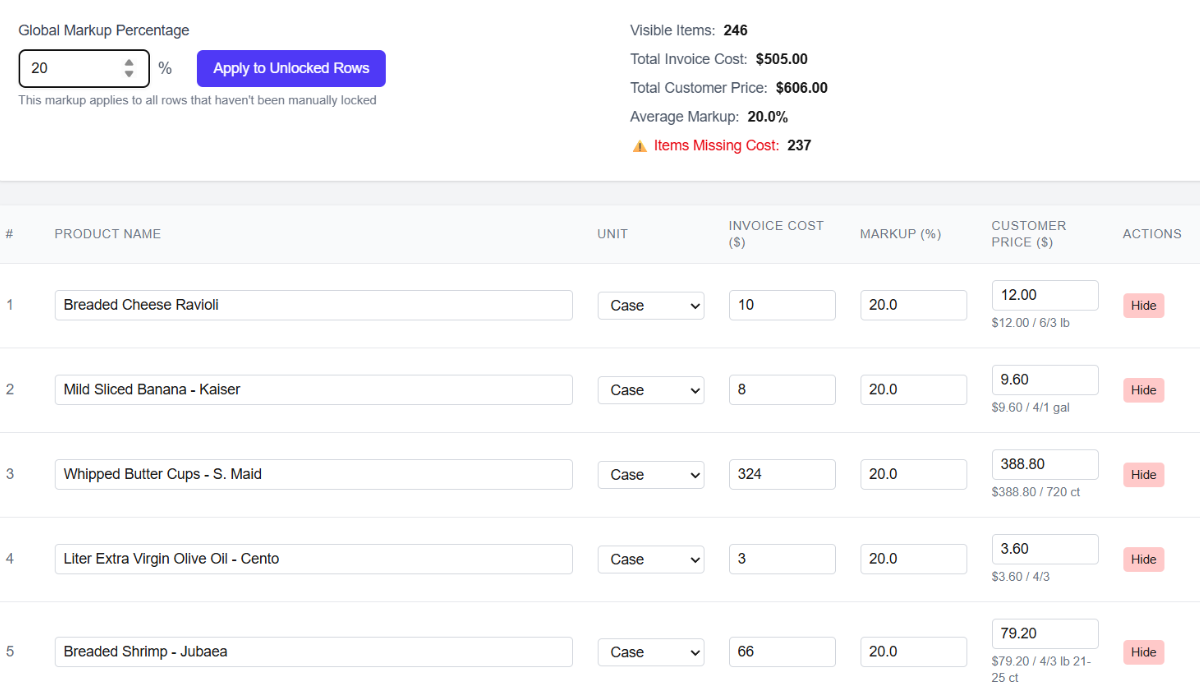
Set Prices with Automatic Markup
Set your markup percentage once and every product price calculates automatically. Need a different margin on a specific item? Override it individually. Lock your custom prices so they don't change when you update the global markup. Your cost stays private — customers only see the sell price.
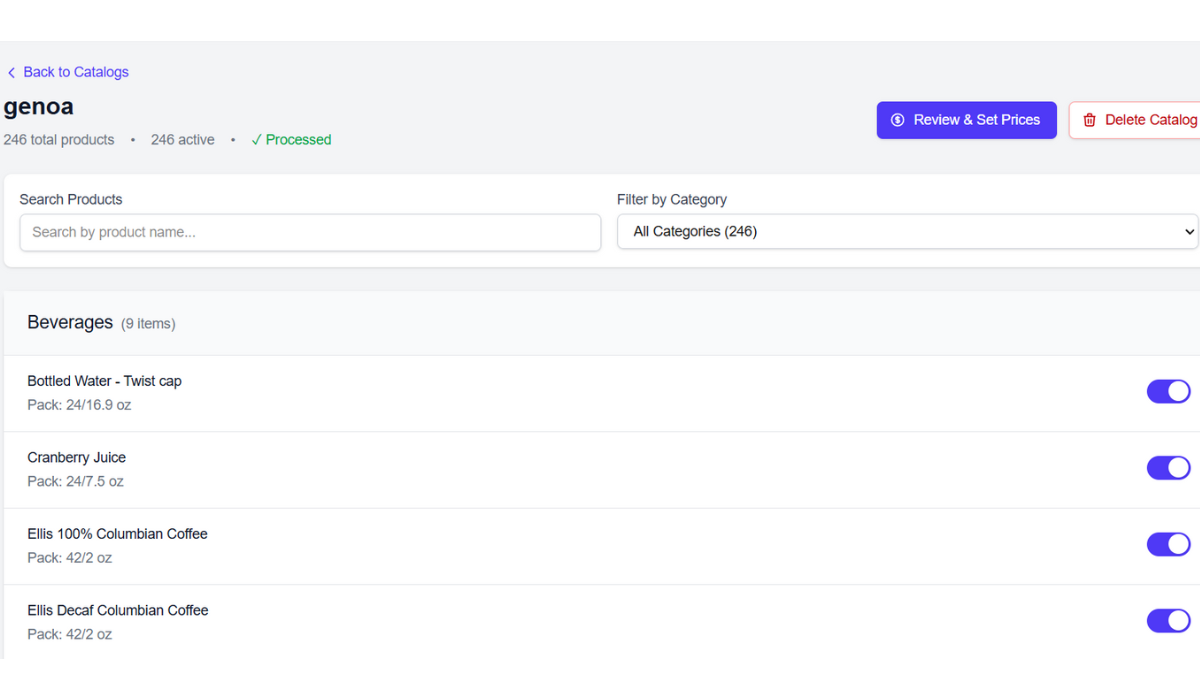
Include or Exclude Any Item
Not everything on your invoice needs to be in your catalog. Toggle individual products on or off with a single tap. Hide items you're out of stock on, keep seasonal products off until you're ready, or exclude anything you don't want customers ordering. You control exactly what shows up.
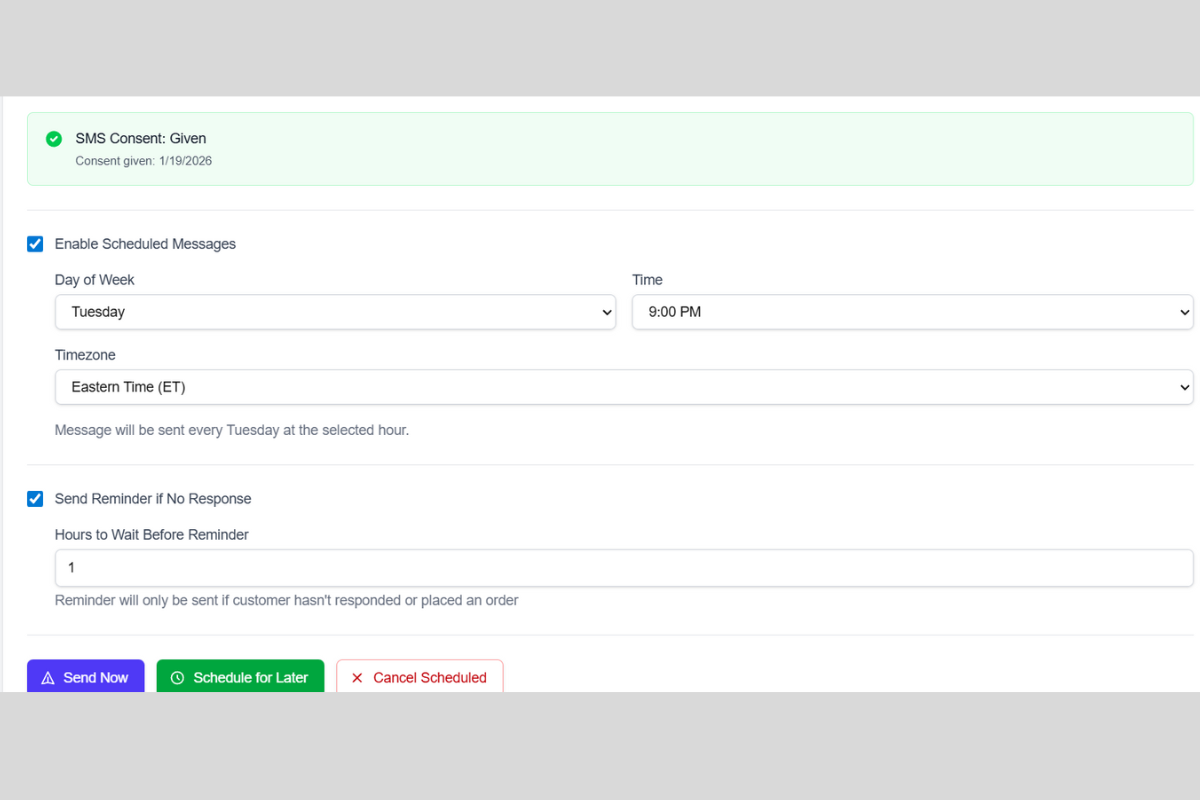
No More Phone Calls — Schedule Weekly Texts
Set the day and time you want order links sent to your customers every week. The system handles it automatically. If a customer doesn't click the link, a follow-up message goes out on its own. No more playing phone tag with 30+ customers, no more chasing people down for orders.
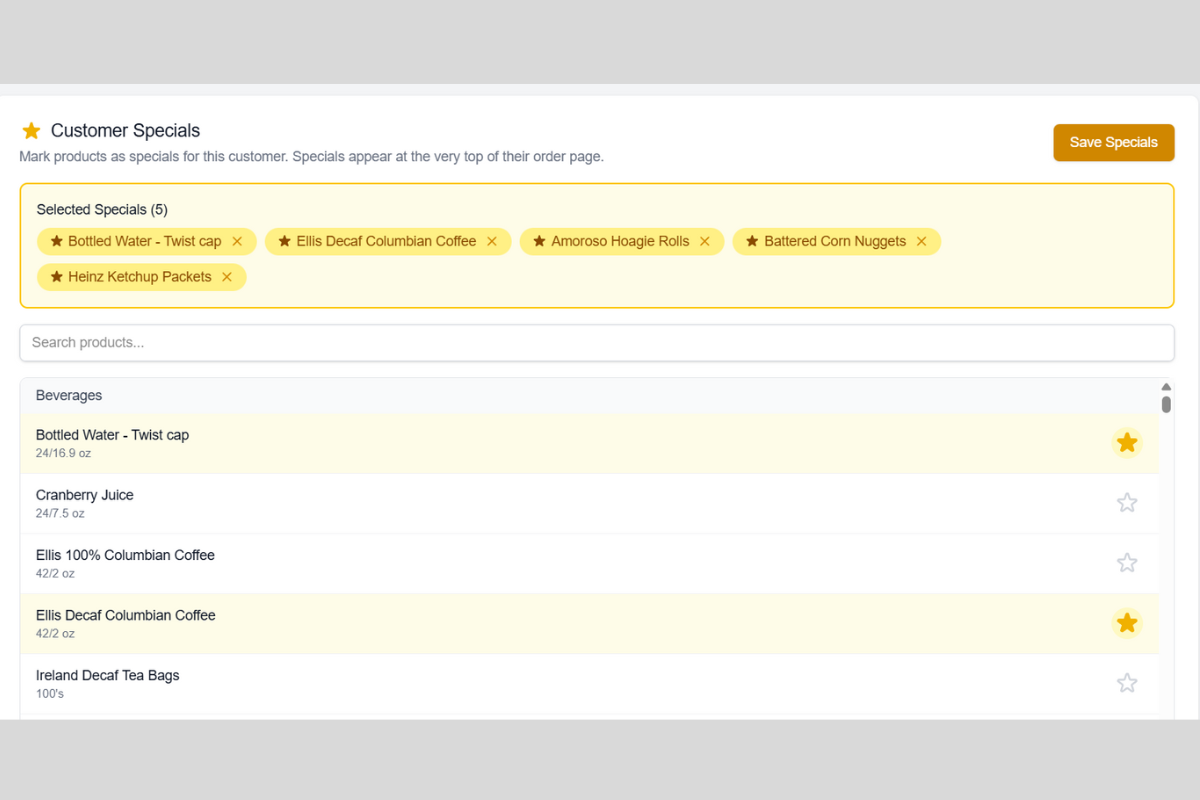
Create Specials to Move Excess Inventory
Got extra product sitting on the truck? Mark items as specials and they show up front-and-center on your customers' order page. Run limited-time deals, clear out overstock, or highlight new products you want customers to try. Specials get noticed — and they sell.
Why Drivers Love the Smart Invoice Scanner
Ready to Ditch the Paper?
Join drivers who are saving hours every week with the Smart Invoice Scanner.
Get Started Free — 14 DaysNo credit card required